AI course generator · SCORM 1.2 export
From a topic or your documents to SCORM 1.2 modules you review and export.
Course AI Builder turns a topic or your own documents into e-learning modules with interactive lessons and a graded quiz, and exports them as SCORM 1.2 packages for your own LMS. You approve the outline, review every page and decide what reaches your learners.
Free trial: one course of up to 3 modules. No payment details needed. Then pay per course, from $199, with no subscription.
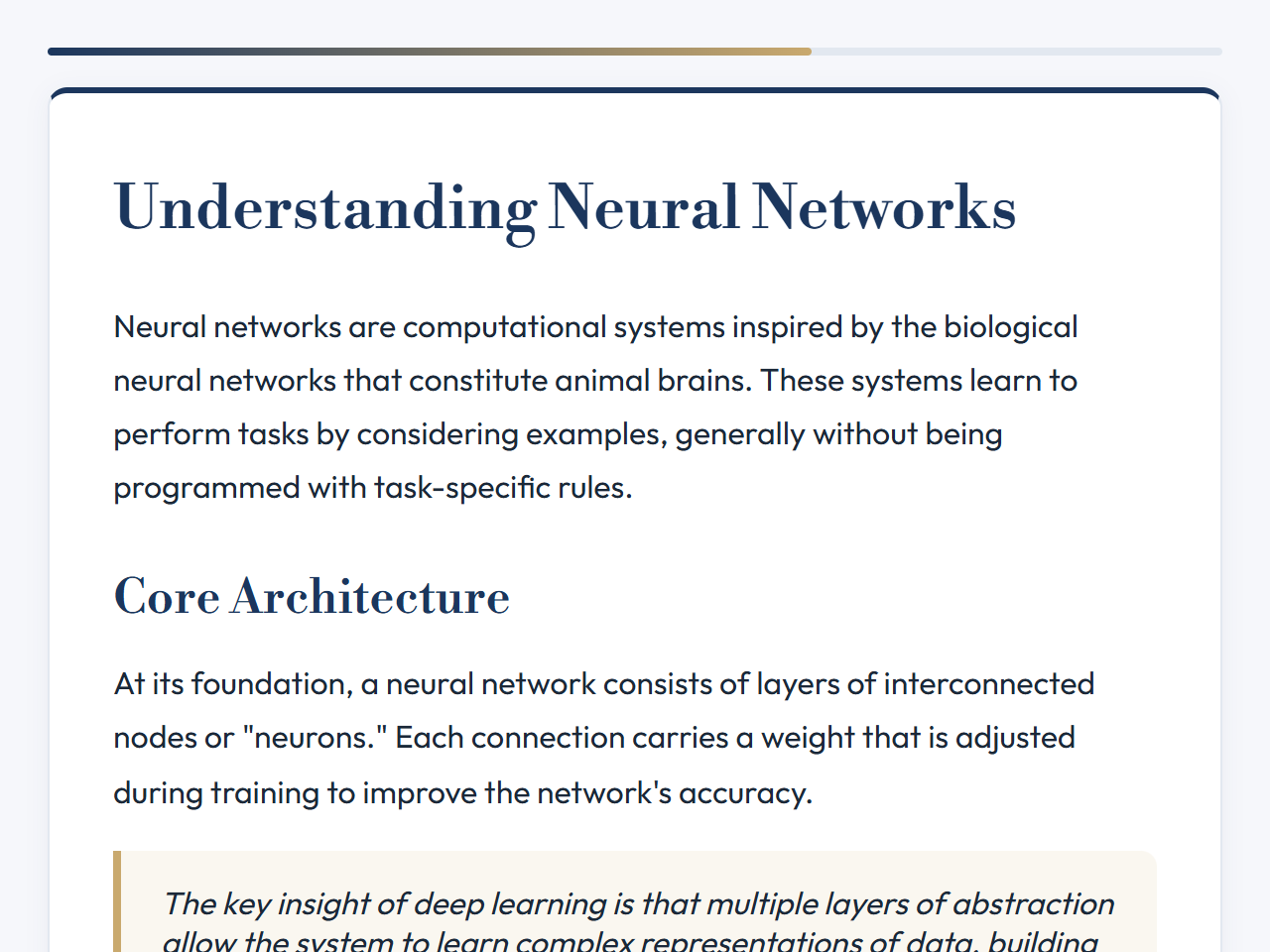
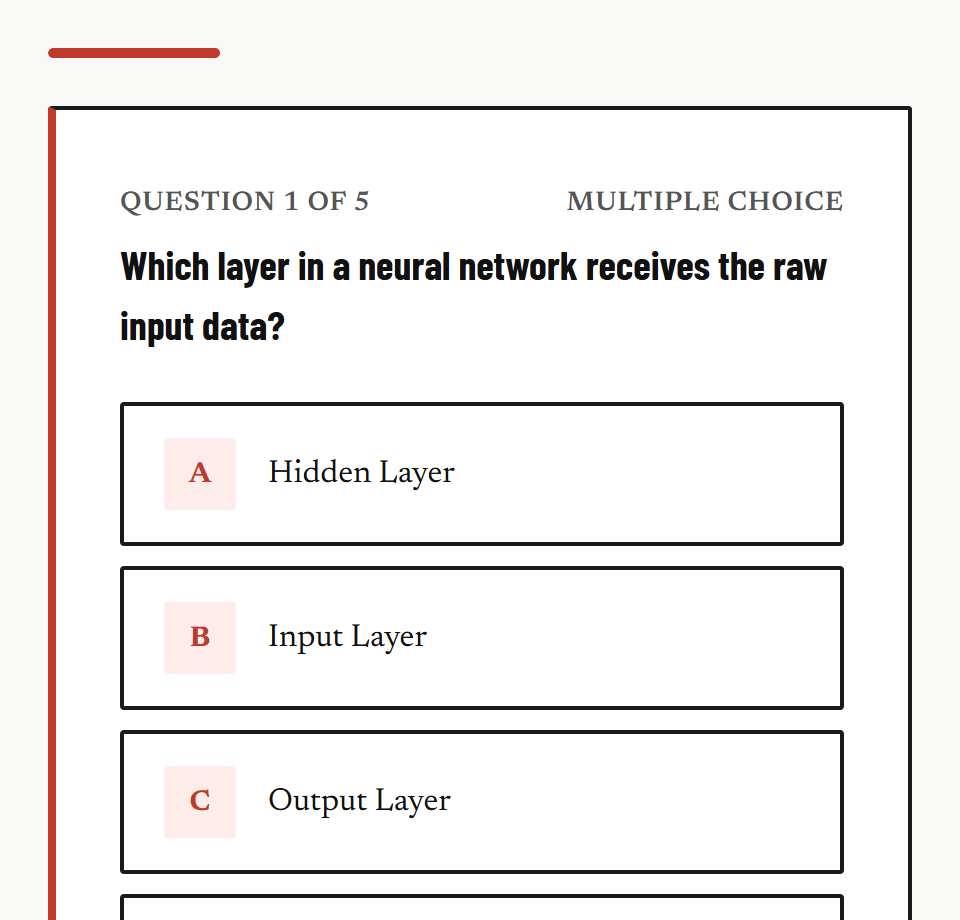
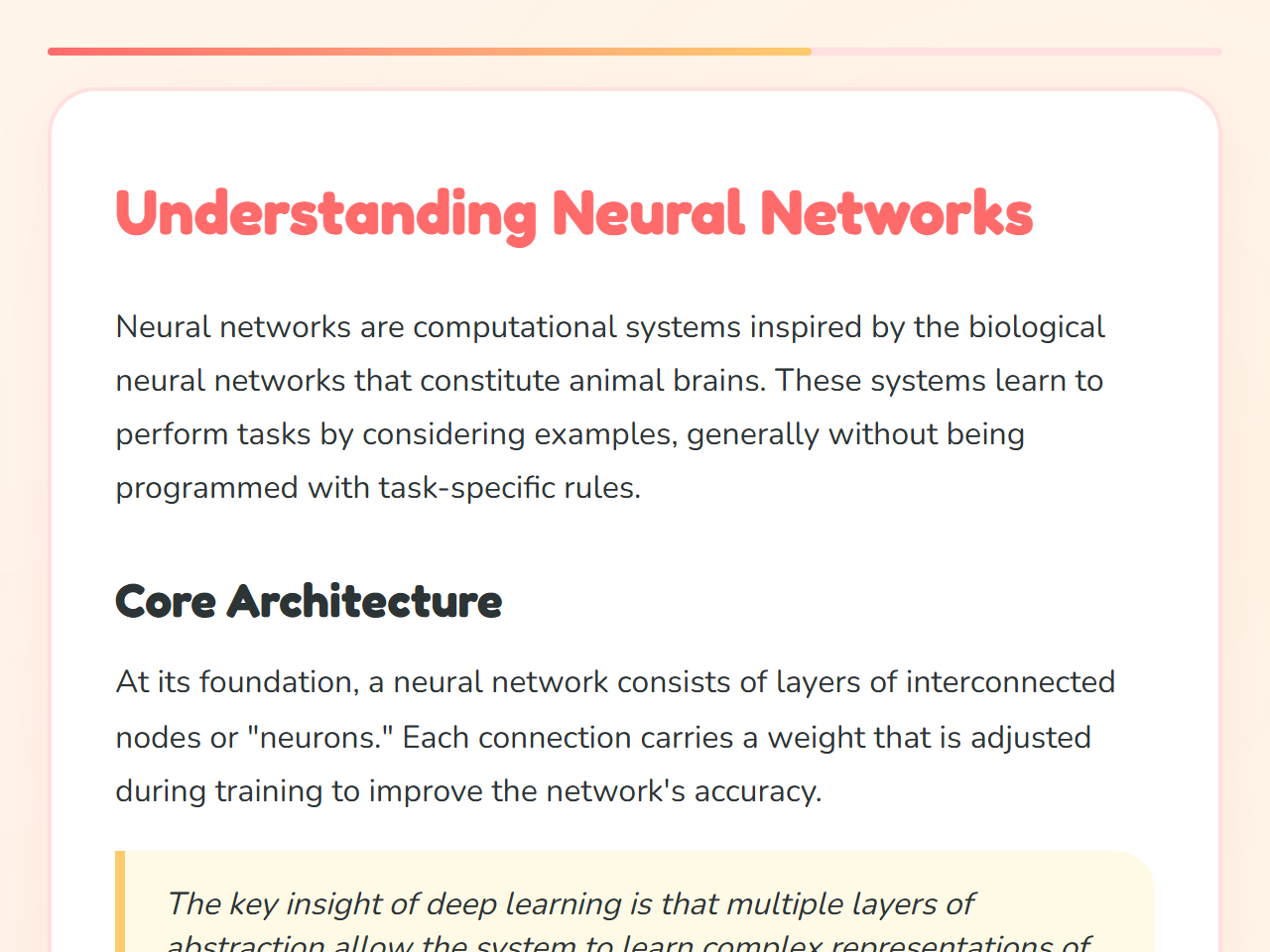
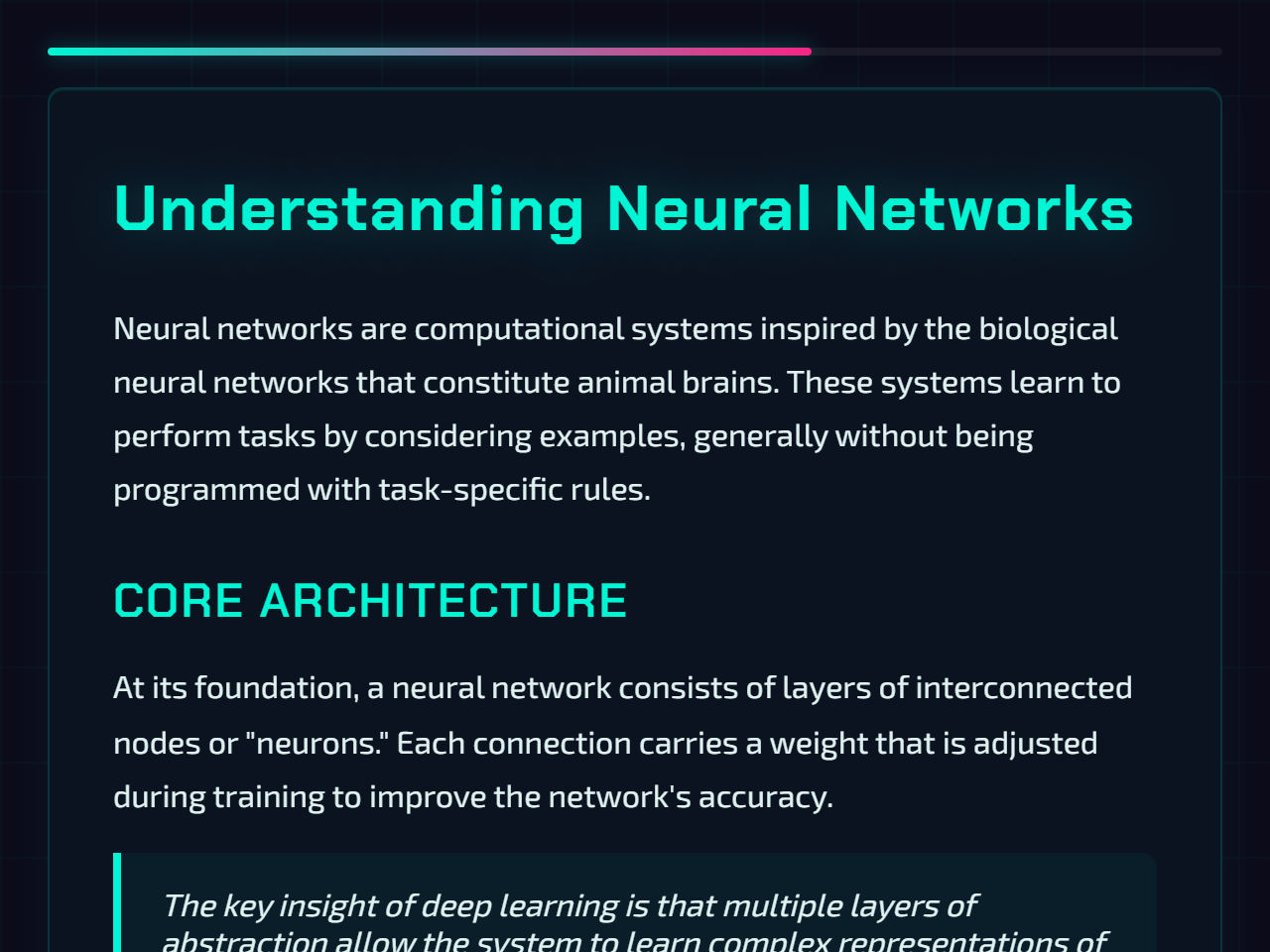
Fig. 1Lesson page (Executive theme) and quiz screen (Monolith theme), rendered from the lesson player’s own theme preview.
- Lesson themes
- 6
- Interactive element types
- 9
- Graded quiz
- 1 per module, last screen
- Package
- SCORM 1.2, one zip per module
§ 01Flow
Four steps, and you sign off on each
Describe or upload
Write what the course should teach, or upload the documents it should be based on. Choose the language, the number of modules and a theme.
- In
- Topic text, or up to 5 PDF, DOCX, PPTX files
- Out
- A course request
- Cost
- Free
Approve the outline
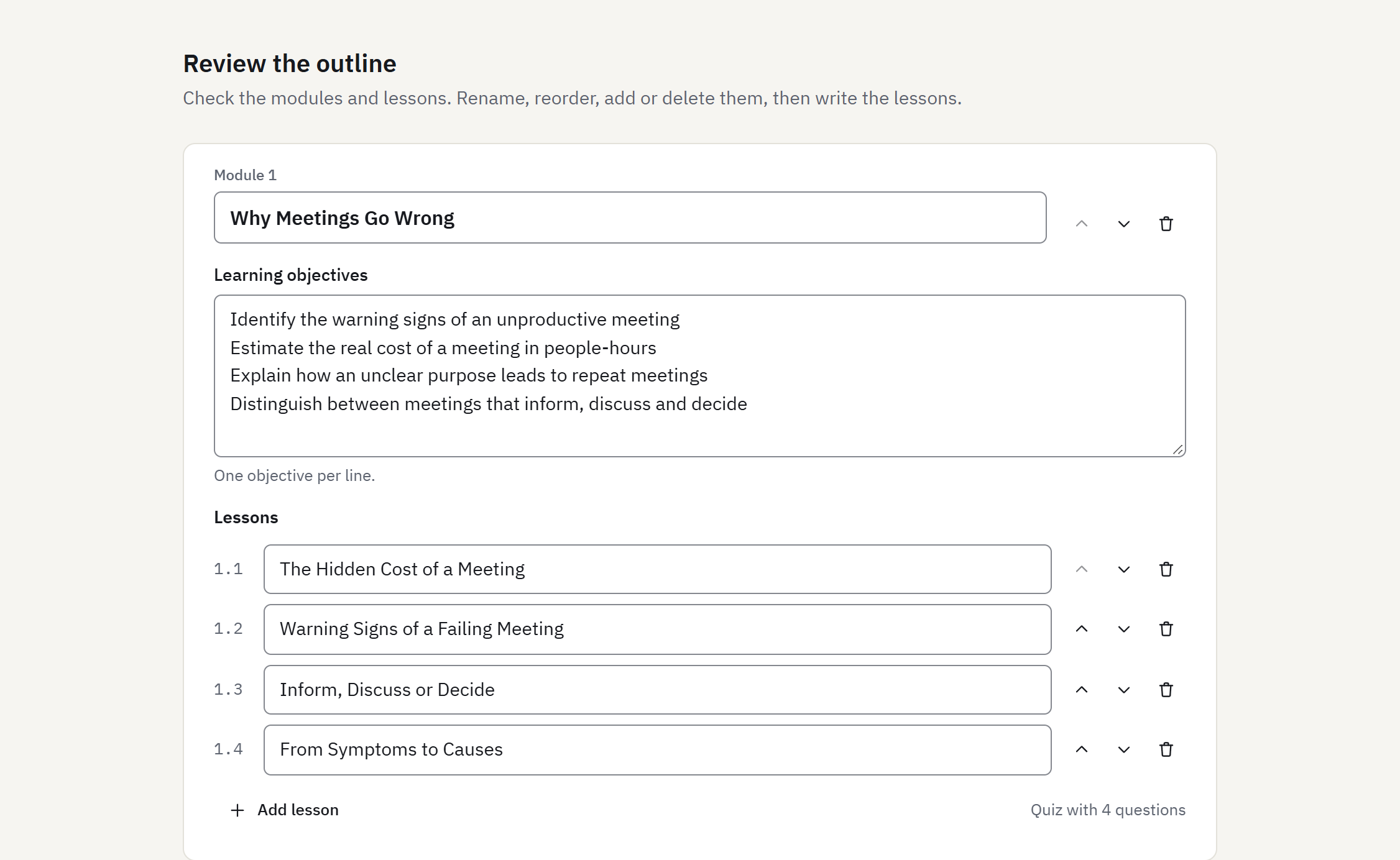
Read the proposed modules, page titles, learning objectives and quiz questions. Rename, reorder or delete anything before lessons are written.
- In
- Your request
- Out
- Course outline
- Cost
- Uses one course from your balance (or your trial course)
Review and edit lessons
Lesson pages are written for every module, with interactive elements and a graded quiz. Edit text in place, rewrite a single page, adjust questions and the pass mark.
- In
- Approved outline
- Out
- Lessons and quizzes
- Cost
- Included in the course, with up to 20 page rewrites
Export
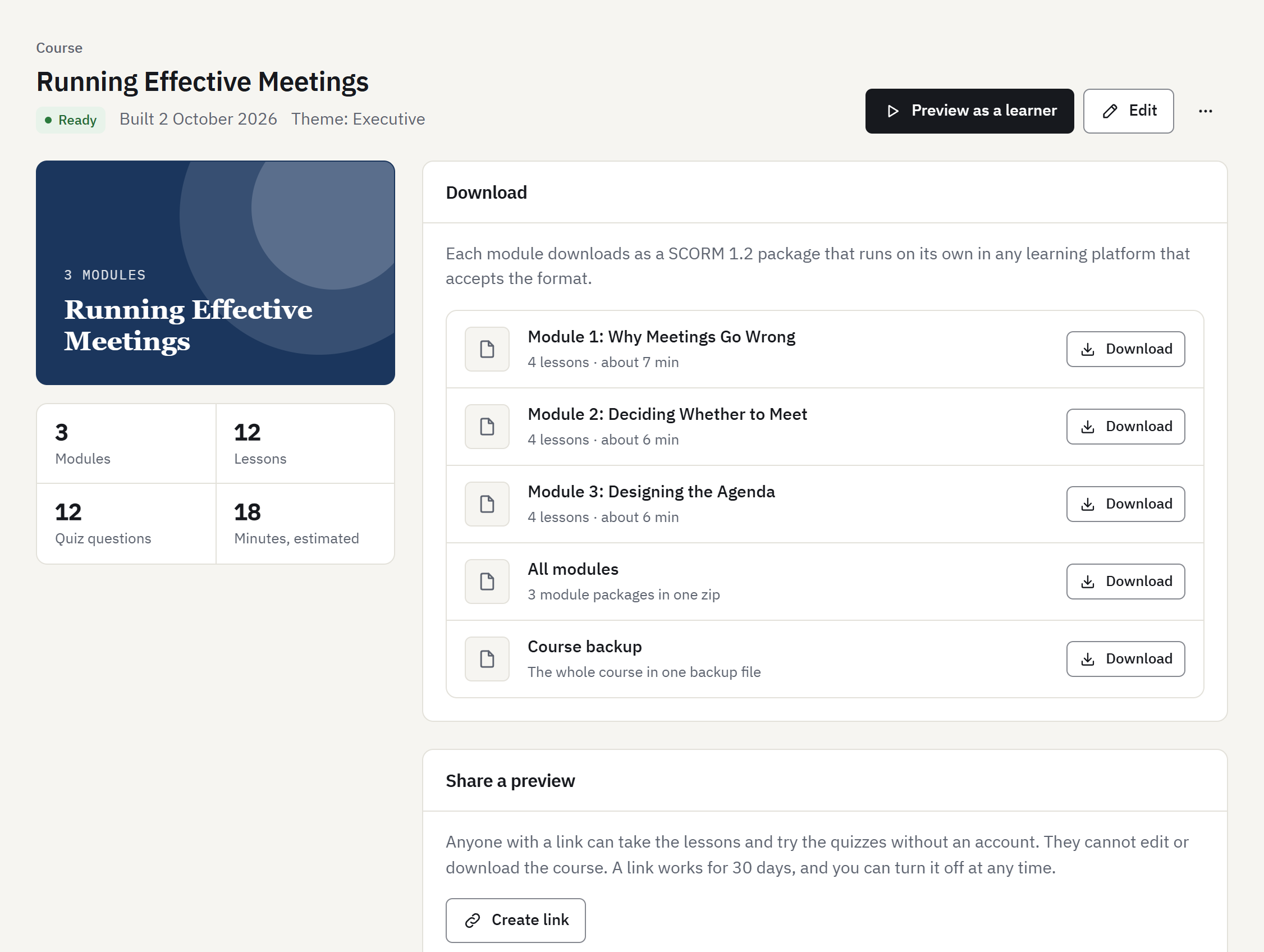
Build the course, then download a SCORM 1.2 package per module or all modules in one file, and after any purchase a full course backup file. Share a preview link with reviewers if you like.
- In
- Reviewed course
- Out
- SCORM 1.2 zip files, full course backup
- Cost
- Included, as often as you need
§ 02Bill of materials
What a finished module contains
| Part 1Learning objectives | Usually three to six objectives per module, written with the outline and editable before any lesson exists. Included in the course backup file. The SCORM package opens on the first lesson page. |
|---|---|
| Part 2Lesson pages | One sub-topic per page: explanation, examples and interactive elements such as knowledge checks, sorting, matching, drag and drop and branching scenarios. Exercises allow 2 attempts, then show the answer. |
| Part 3Graded quiz | The last screen of the package. Multiple choice, true or false and fill-in-the-blank questions, scored by fixed rules against the answer key in your outline, which you can edit. The score and pass or fail status go to your LMS. |
| Part 4Player | Page navigation, a reading progress bar and resume from the last page visited. |
| Part 5AI notice | A statement that the content was generated with AI, in the package metadata and in a “Credits and notices” panel at the foot of the lesson. |
| Part 6Package | A SCORM 1.2 zip with its manifest, fonts and icons inside. It makes no network requests when a learner opens it. |
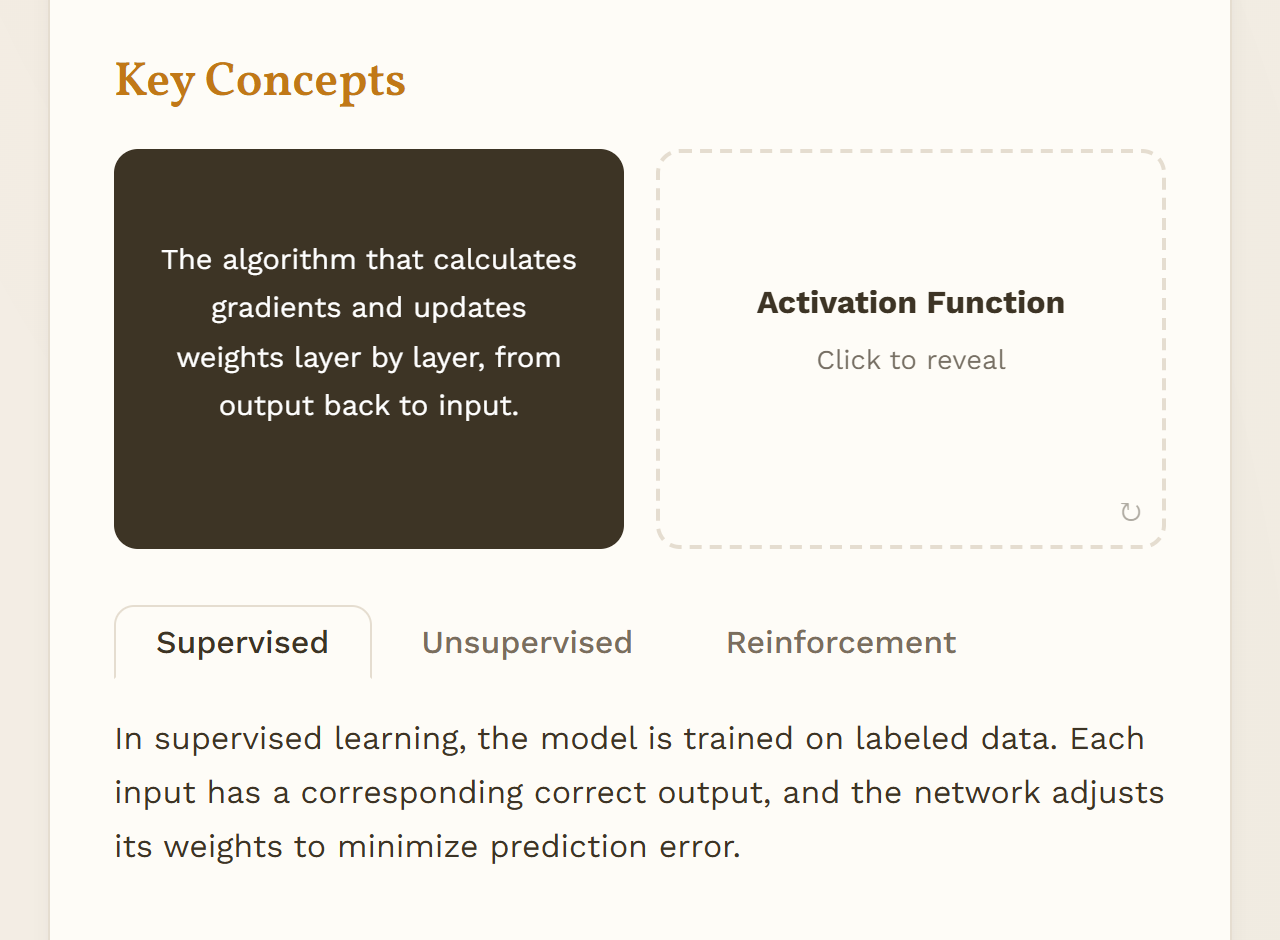
§ 03Lesson themes
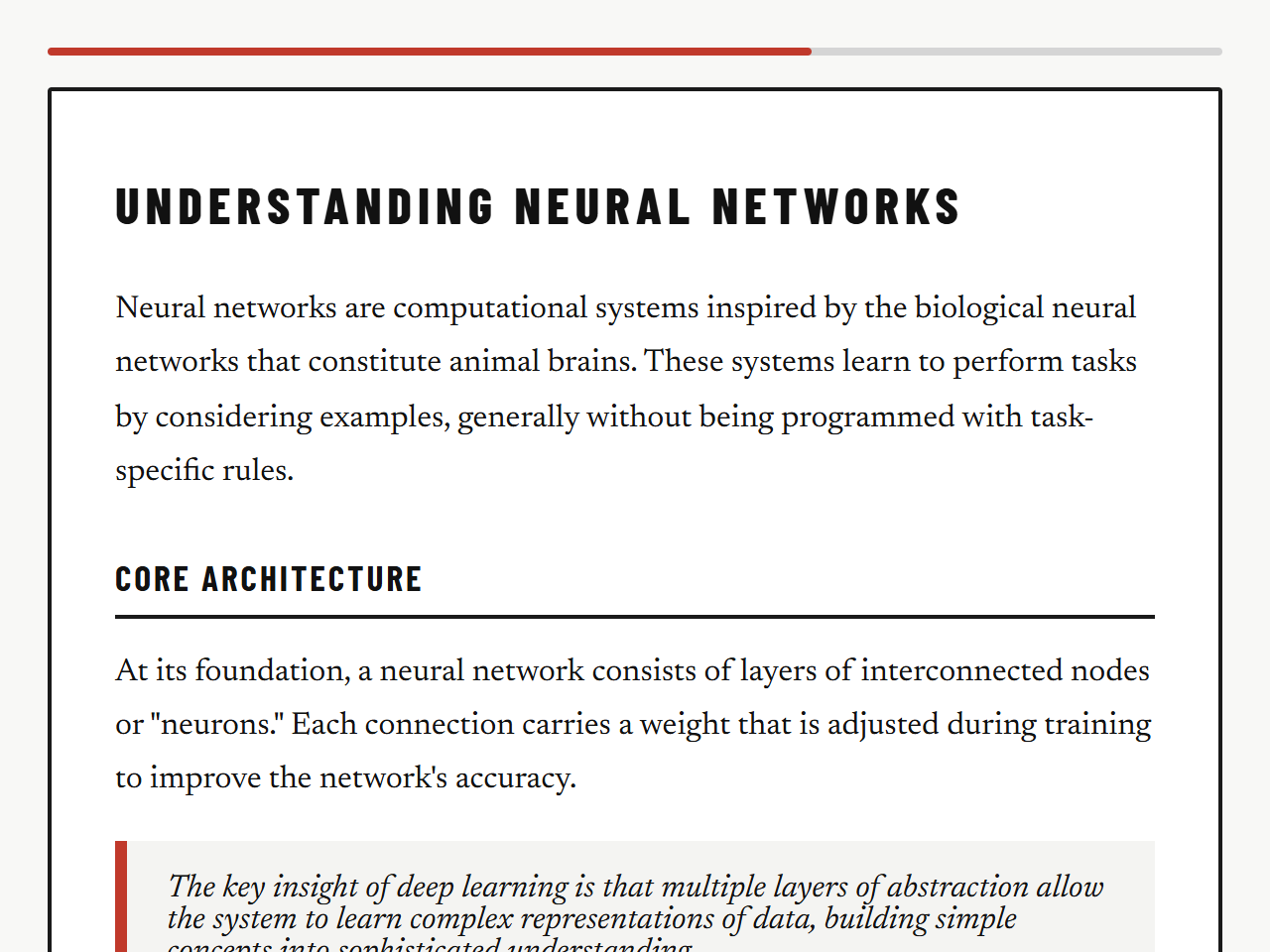
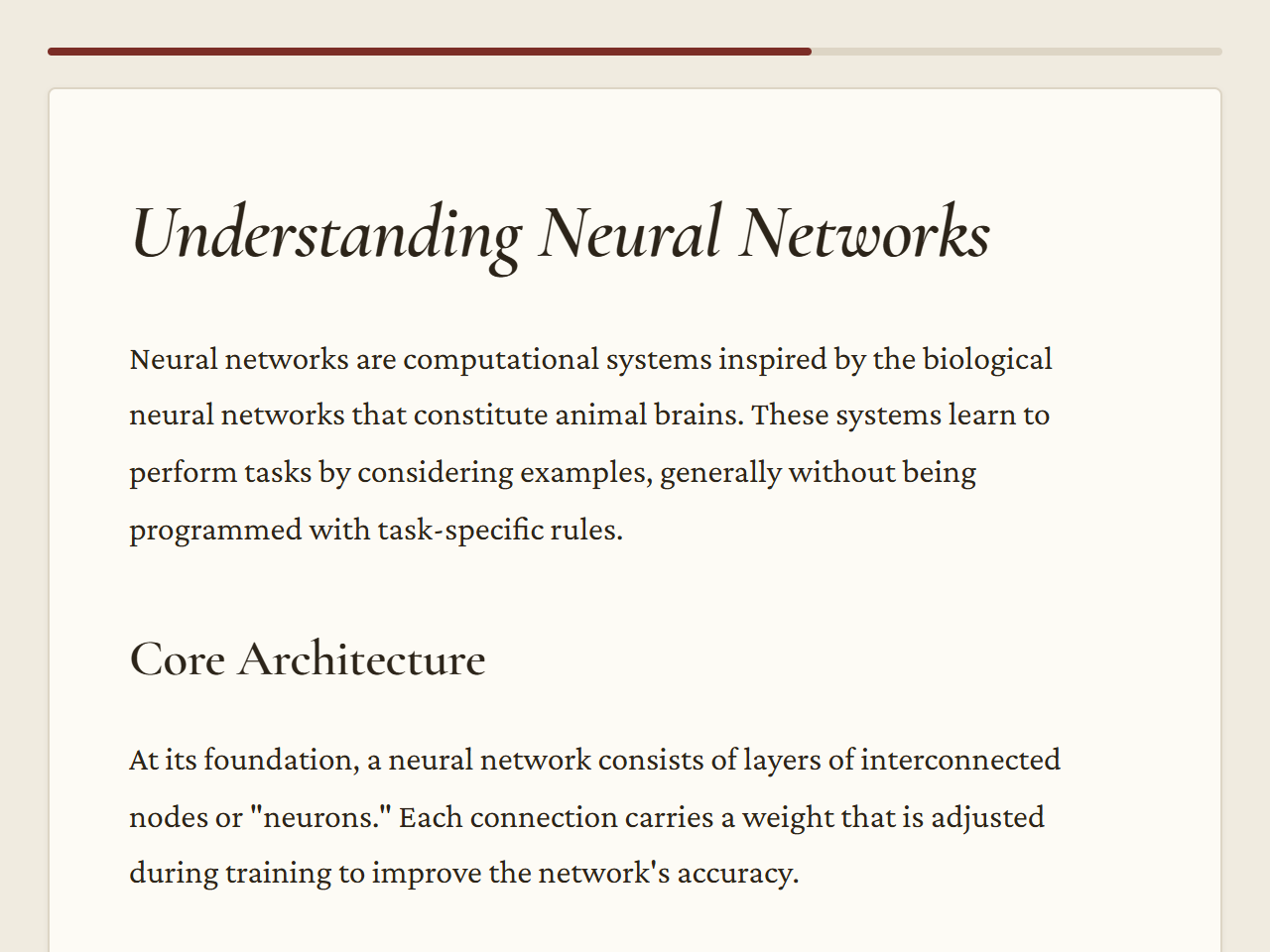
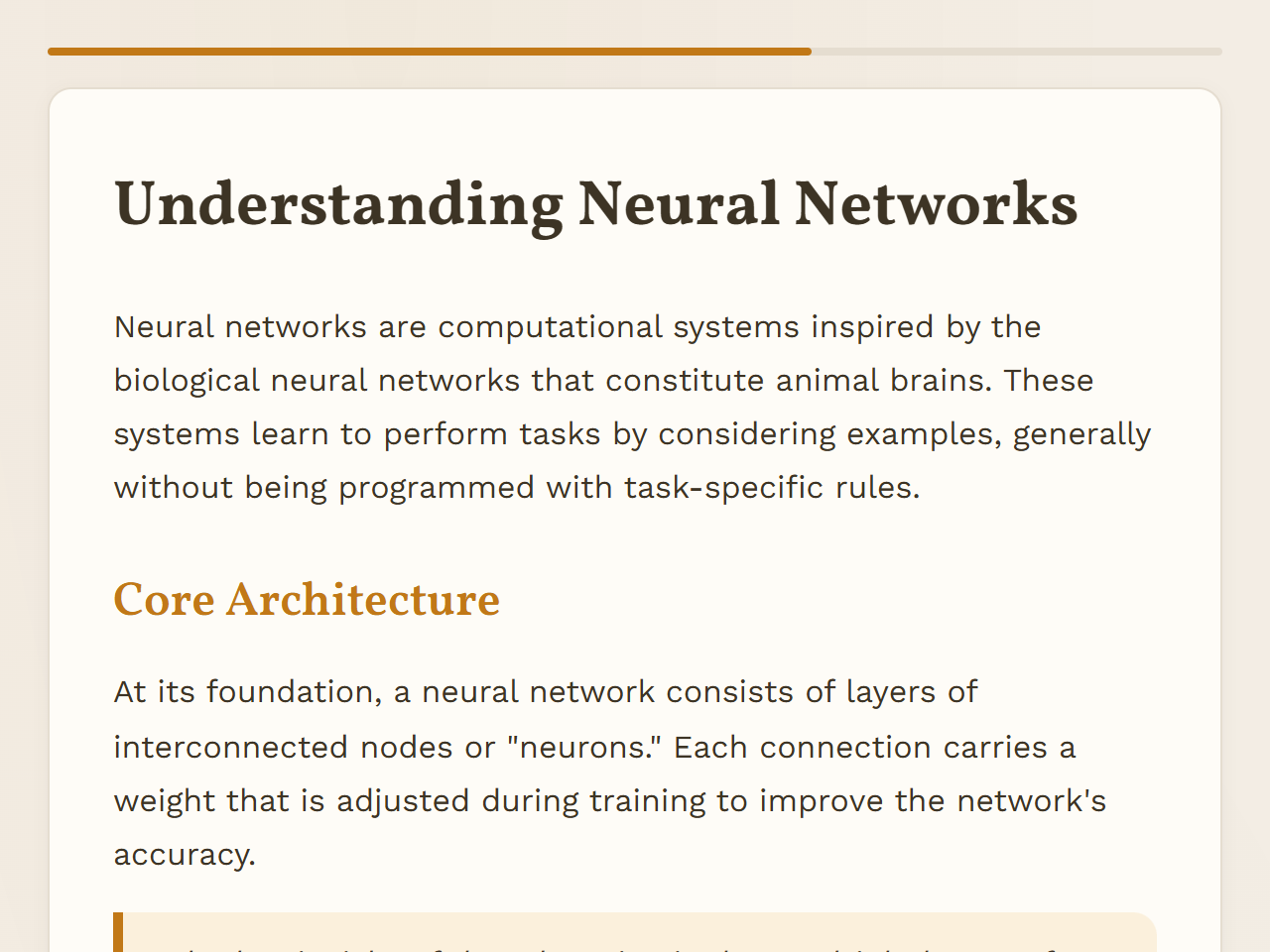
Six themes for the lesson player
§ 04Audience
Who it is for
A good fit
- Instructional designers who want a structured first draft to edit instead of a blank page.
- Trainers and subject experts who have slides, handbooks or procedures and need them as e-learning.
- Training teams that already run an LMS and need standard SCORM 1.2 files to load into it.
- Small training providers producing short courses on internal and professional topics.
Not a fit
- Hosting courses for learners: Course AI Builder produces files, it does not run a learning platform.
- Content that must go live without a person reading it first.
- Courses that need SCORM 2004, xAPI or cmi5 tracking.
- Producing video, narration or presenter avatars.
Status · reviewed 5 October 2026
Early access
Course AI Builder is early-stage software and changes often. This is what works today and what does not work yet.
Works today
- Course outline from a topic or from PDF, DOCX and PPTX documents
- Editing the outline before any lesson is written
- Lessons with interactive elements and a graded quiz for every module
- Six lesson themes
- Editing every page and question, and rewriting a single page with your instructions
- Previewing a course as a learner, and preview links for reviewers without an account
- Brand kit after any purchase: your logo, colour and organisation name on every lesson
- SCORM 1.2 export per module or for the whole course
- Full course backup file after any purchase
- Pay per course in one-off packs, with a free trial course
Known limits
- One user per account. Inviting team members is not available.
- No hosted delivery: learners take the course in your own LMS.
- Scanned PDFs without a text layer cannot be read.
- Documents are read up to about 40,000 characters of text in total.
- The player’s buttons and messages are in English or Romanian; other course languages use English for them.
- Exports are SCORM 1.2 only. There is no SCORM 2004, xAPI or cmi5 export.
- Generated lessons are not checked against accessibility standards.
- AI output can contain errors. Every page and question needs a human review before use.
Try the whole flow on one course
The free trial covers one course of up to 3 modules, from outline to SCORM export. No payment details are needed to sign up. After that, pay per course; there is no subscription.